
Don’t just integrate. Integrate with purpose.
Why “we integrate with Salesforce” isn’t enough
Many Customer Data Platforms (CDPs) claim to "integrate with Salesforce." But here's the catch: not all integrations are created equal.
Salesforce is not a single product, it's an entire ecosystem. There's Salesforce Marketing Cloud, Sales Cloud, Service Cloud, Commerce Cloud, Experience Cloud, and many more. On top of that, Salesforce frequently acquires companies and rebrands their products, constantly changing product names and platform structures.
As a result, even experienced marketers and CRM teams often find it confusing to know which Salesforce product an integration actually connects to, or what that integration really does. So when a CDP claims to integrate with Salesforce, the first question should always be ”which Salesforce product?" and the second should be "how does the integration work?”
Because the truth is, not all Salesforce integrations are created equal.
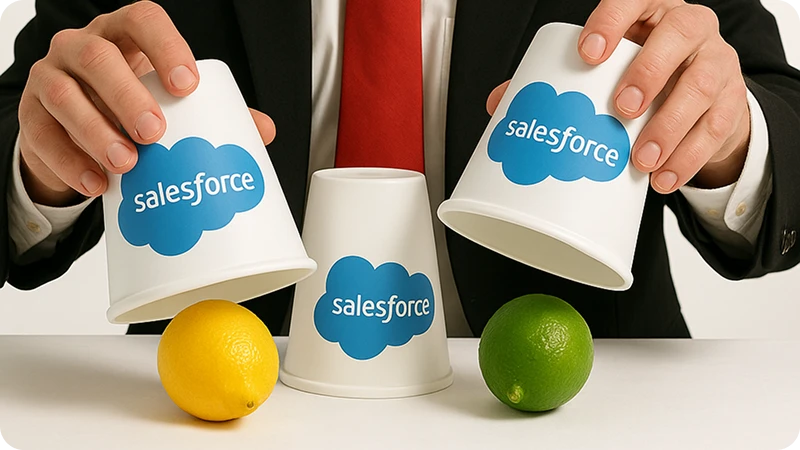
At LemonBridge, we see this in practice every day. For example, we helped a leading brand integrate their CDP and data warehouse with Salesforce Marketing Cloud (SFMC), the platform Salesforce uses primarily for email, SMS, and marketing automation. By designing the data flow the right way, the brand could send precisely the data SFMC needed to trigger personalized emails at the right moment, without delay or data mismatches.
In reality, how your data flows into Salesforce Marketing Cloud matters just as much as what data flows in. If your CDP connects in the wrong way for your use case, you can end up with delays, missing triggers, or campaigns that never fire at the right time.
A one-size-fits-all connection might:
- Only write data to a Data Extension, without triggering journeys
- Skip journey activation completely
- Lack support for complex or large-scale data structures
- Require manual work to connect data to campaigns
For many teams, these limitations only become visible after implementation, when it's already too late to fix easily.
At LemonBridge, we believe integration should fit your marketing strategy and use cases, not the other way around. We help you navigate Salesforce's complex ecosystem, ensuring your CDP connects to the right product, in the right way, to power real business results.
Two paths into Salesforce Marketing Cloud
Salesforce Marketing Cloud offers two primary ways to bring data in. Each serves a different purpose and choosing the right one is crucial.
1. Journey Builder API: real-time, event-driven journeys
The Journey Builder API (also called the Event API) is designed for instant engagement.
When a customer takes an action, such as submitting a form, signing up, or completing a purchase, that event can be sent directly into a live journey in Marketing Cloud. The system reacts immediately.
Best for:
- •Welcome emails or confirmation messages
- •Abandoned cart or trial reminder triggers
- •Transactional and behavioral messages
- •Real-time, personalized experiences
Why use it: Speed and responsiveness. Your journey starts within seconds, based on the exact moment the customer acts.
Why it might not fit: If your data needs to be validated, combined with other data, or enriched before use, this direct path may be too rigid.
2. Data Extension API: data-driven campaigns and segmentation
The Data Extension API allows you to store and manage customer data inside Marketing Cloud’s Data Extensions (DEs), which are flexible tables where you can collect, enrich, and segment contacts before activating them.
This approach gives you time and control. You can run SQL queries, apply filters, and trigger journeys based on the refined data, not just raw events.
Best for:
- •Newsletter or promotional campaigns
- •Lifecycle or reactivation journeys
- •Complex segmentation or data transformations
- •Batch or scheduled imports from a CRM or CDP
Why use it: It offers flexibility and depth. You can process data first, deduplicate, score, and combine it, and then decide who should enter a journey.
Why it might not fit: It’s not designed for real-time actions. There can be a delay between import and activation.
Choosing the right integration depends on your use case
| Use case | Recommended integration | Description |
|---|---|---|
| Real-time welcome or transactional message | Journey Builder API | Instantly trigger a journey when a customer action occurs |
| Scheduled campaigns or newsletters | Data Extension API | Load audience lists and trigger journeys based on preprocessed data |
| CRM or CDP audience sync | Data Extension API | Keep Marketing Cloud aligned with your master data source |
| Behavioral triggers (cart abandon, signup, app event) | Journey Builder API | Deliver real-time, behavior-based engagement |
| Complex multi-source segmentation | Data Extension API | Combine and filter data before sending to journeys |
How LemonBridge helps
LemonBridge bridges the gap between your CDP, your marketing team, and Salesforce Marketing Cloud.
We help you:
- •Design the right data flow, event-based or batch-based, for each use case
- •Implement flexible integrations that align with Salesforce’s Journey Builder and Data Extension models
- •Simplify complex setups into clear, outcome-driven architectures
- •Unlock value faster by automating the right touchpoints with the right data
Whether you need real-time journey triggers or orchestrated audience syncs, LemonBridge gives you the freedom and flexibility to connect your CDP to Salesforce Marketing Cloud in your way.