Why agencies and brands use LemonBridge
for building bridges
Say yes to the use cases your stack can't support
LemonBridge builds the bridge, or you build it yourself in the Canvas Builder.
Think you could build it yourself with Claude?
You probably could. The hard part is keeping it accurate, secure, and working a few months in.
Build your data bridge, block by block
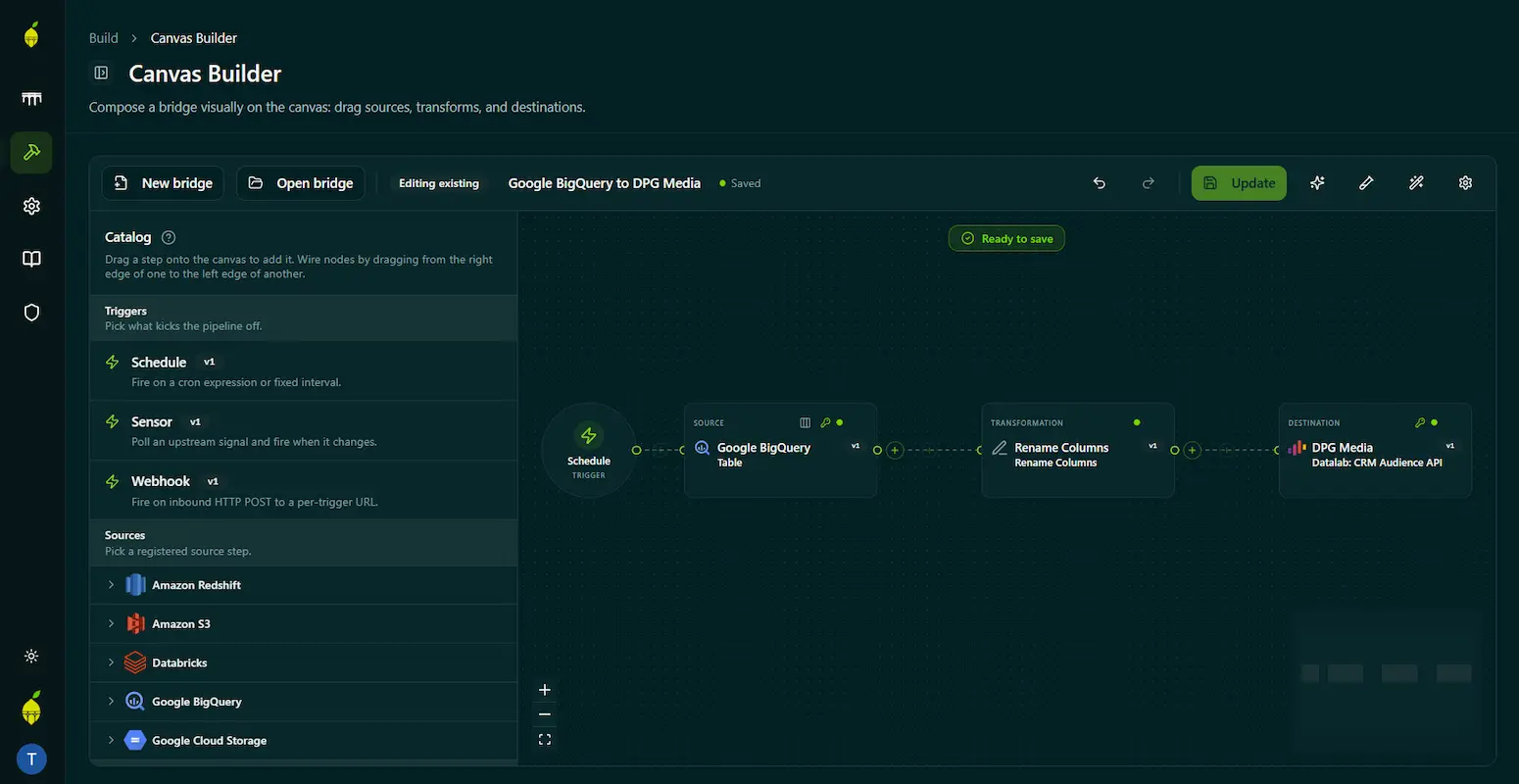
Use the low-code Canvas Builder to connect sources, transform your data, and send it to the right destination without coding an integration from scratch.
Reach the long-tail connectors others skip
Connect to the local, niche and in-house platforms that never make the mainstream catalogs, or a system built in-house five years ago.

Building bridges
Three ways to build a bridge: hand it over, drag it together, or just describe it.
Let LemonBridge build your bridge
Tell us what you want to connect, and we’ll take care of the rest. Bring us your use case. We’ll handle the design, build, and delivery, so you get a working bridge without assembling it yourself.
- • Get a live bridge back. Tell us the source, destination, and what needs to happen to the data. There is no detailed technical specification to write or hand off.
- • Skip the API rabbit holes. No evenings lost to API documentation that turns out to be incomplete or wrong.
- • Deliver more with the same team. Turn more use cases into working bridges without pulling a senior consultant away from billable client work.

Build your data bridge, block by block
Use ready-made building blocks to connect sources, transform data, and send it to the right destination without coding an integration from scratch.
- • Assemble the bridge you need. Combine source, transformation, and destination blocks, then configure them for your platforms and business logic.
- • Stay in control. Build and adjust your bridge without becoming an expert in every platform’s API.
- • Keep projects moving. Turn use cases into working bridges without waiting for technical capacity to become available.
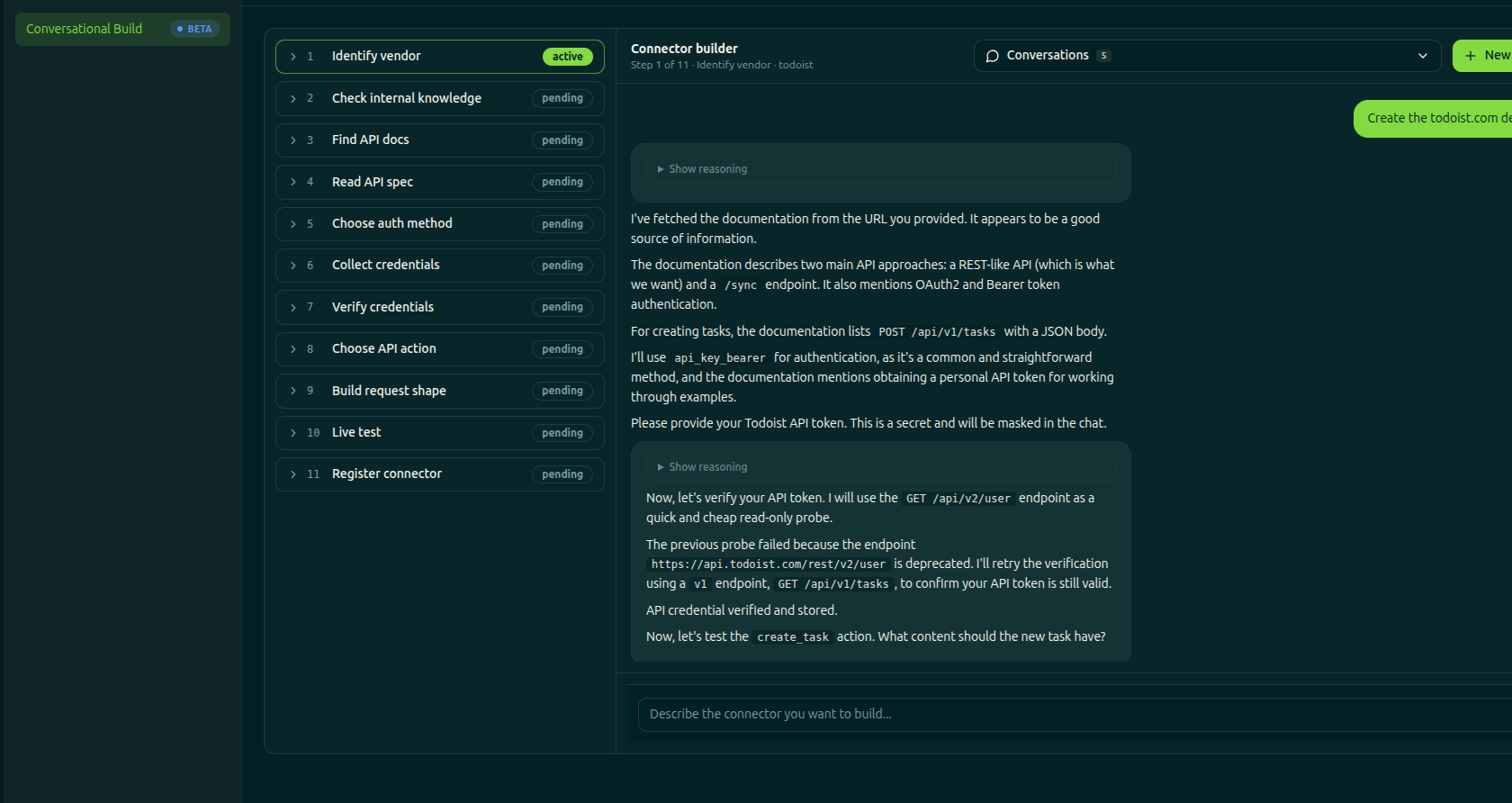
Describe the destination, build the connection.
Add destinations that do not have a connection yet by describing how they work in plain language. The builder guides you through the setup and turns the conversation into a new connection.
- • Describe it in plain language. The builder follows a structured checklist and turns your answers into a working connection.
- • No API expertise required. Add a destination without already knowing the platform’s API.
- • Turn missing connections into working ones. Let your own team add new destinations instead of sending another request to the backlog.
Your credentials stay out of the chat. Credentials and API tokens go only into dedicated secure fields. The builder asks for them there explicitly when needed.
Watch 3-minute Canvas Builder demo video
In this 3-minute walkthrough, see how the Canvas Builder is used to move data from Google BigQuery to DPG Media. BigQuery and DPG Media are just the source and destination in this example. The same block-by-block approach can be used for any type of data bridge. If a building block does not exist yet, LemonBridge can create one custom-fit to your needs.
Want the full story behind this demo?
See how an agency got a Google BigQuery audience live in DPG Media.